CUSTOMER FEEDBACK QR CODE
Collect customer feedback with a QR code
Create one feedback campaign, add a QR code for every receipt, table, counter or package, and see where customers scan, respond and continue to a public review. Use a private form, a direct review link or one honest combined journey.
QUICK OVERVIEW
What this changes in practice
01
Start with a campaign, then create its QR placements
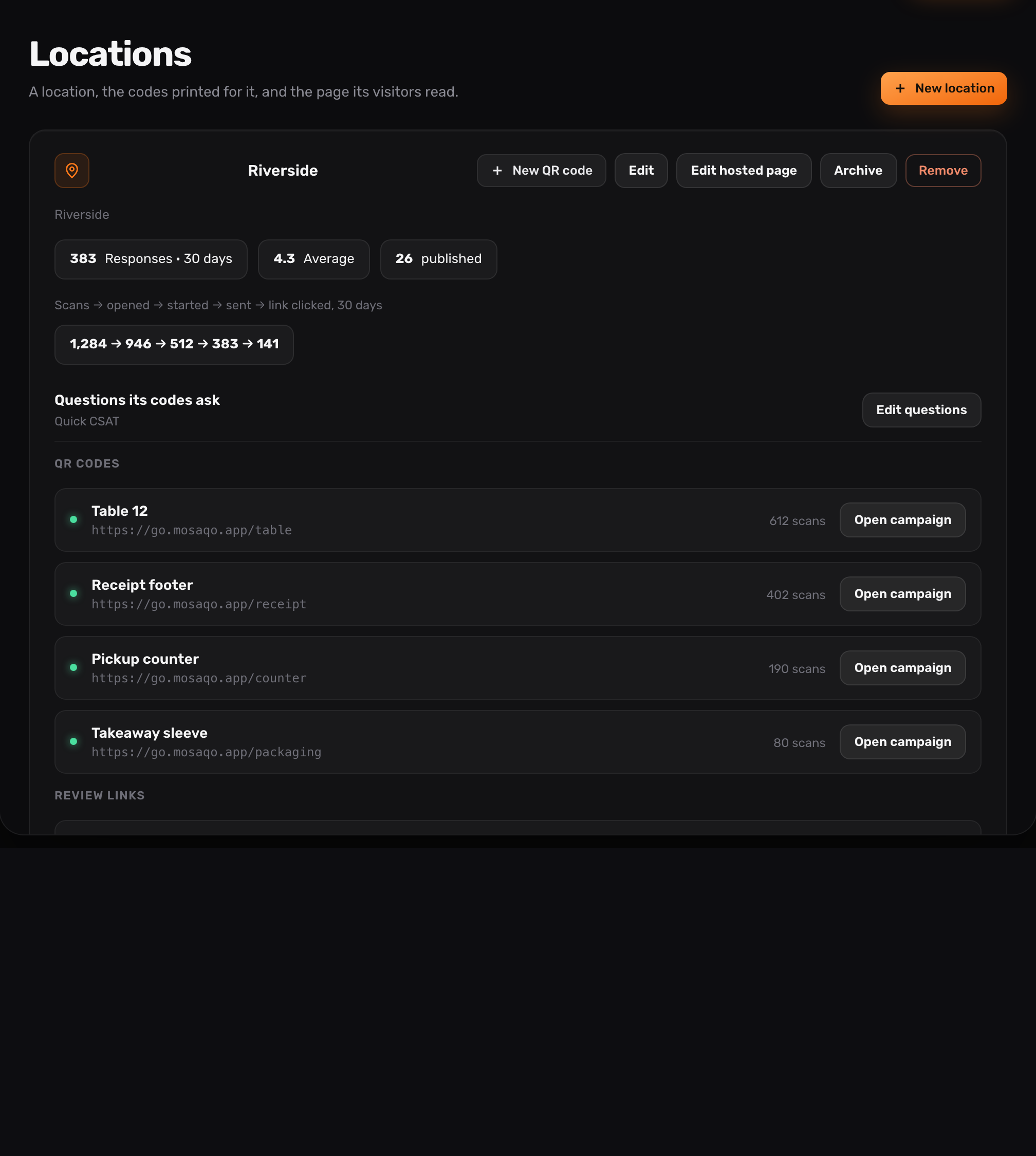
A campaign defines the outcome: collect a public review, ask for private feedback, or combine both in one hosted journey. It also owns the form, review destination, language, appearance and notification rules.
After that, add a placement for every physical touchpoint. A receipt, table card, checkout counter and packaging insert can share the campaign while keeping separate QR codes and results. You can improve or pause one placement without rebuilding the whole feedback flow.
- One campaign owns the experience and policy
- Every placement receives its own QR code
- Results stay comparable inside one campaign
02
Choose public reviews, private feedback or both
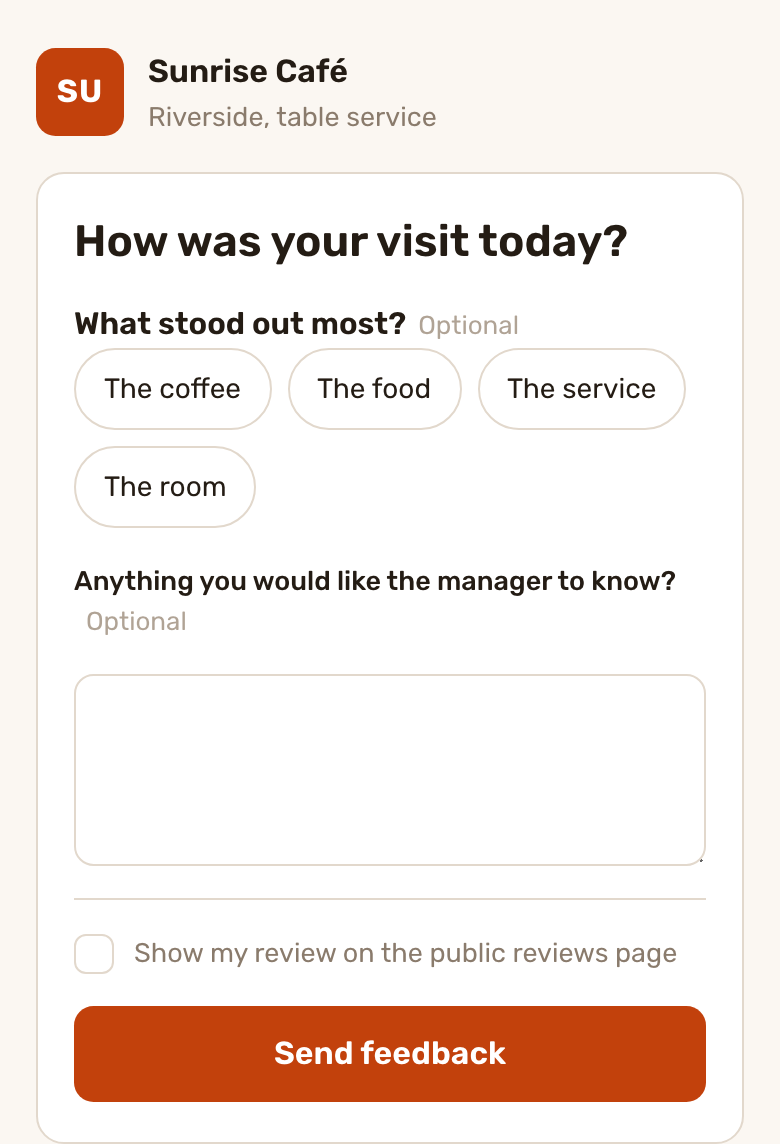
Public-review mode opens the selected external destination directly. Private-feedback mode opens a branded Mosaqo form. Combined mode collects private feedback and offers the external review action to every respondent, regardless of the score.
That last detail matters: Mosaqo does not hide the public-review action from unhappy customers. The QR code makes an honest request easier; it does not filter who is allowed to respond.
- Direct external review link
- Private mobile feedback form
- Combined journey without review gating
03
Ask the shortest question that can change a decision
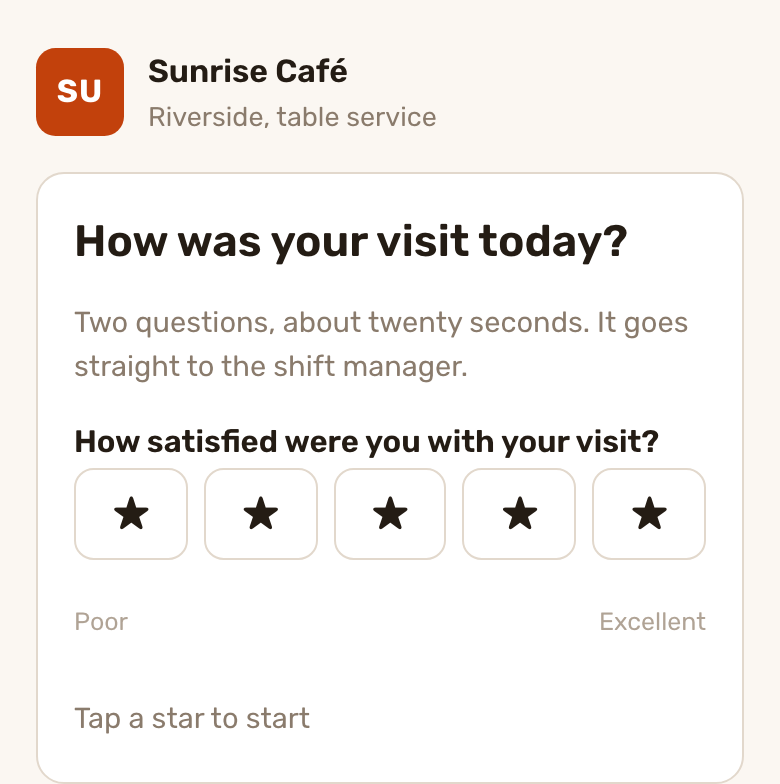
Use CSAT 1–5 for a specific interaction, NPS 0–10 for relationship loyalty, smileys or thumbs for a fast pulse, and choice or text questions when the team needs a reason. A form can include up to ten questions, with one primary score that drives summaries and alerts.
Contact details are optional and follow-up consent is separate. Customers can leave useful anonymous feedback without being forced to identify themselves.
- CSAT, NPS, smileys, thumbs and scales
- Single choice, multiple choice and free text
- Optional contact and explicit follow-up consent
04
Measure the complete feedback QR funnel
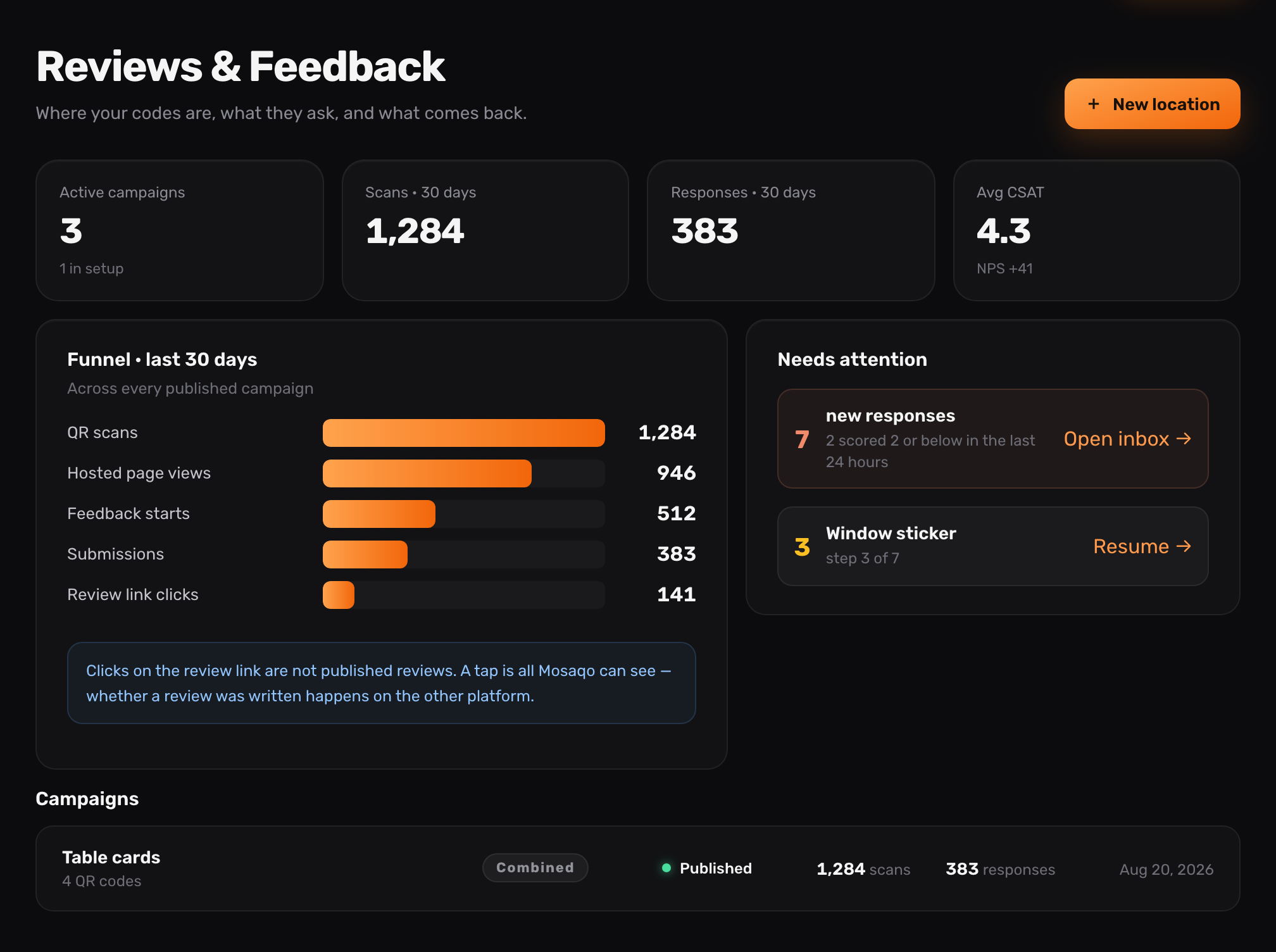
A scan is only the start. Mosaqo separates scans, hosted-page views, form starts, submissions and clicks to an external review destination so you can see where people leave the journey.
Each placement has its own breakdown. Compare a receipt with a table card on the same campaign without confusing a busy location with a better-performing prompt.
- Scan-to-view and view-to-start conversion
- Start-to-submission completion
- Review clicks measured honestly as clicks, not published reviews
05
Turn low scores into a team workflow
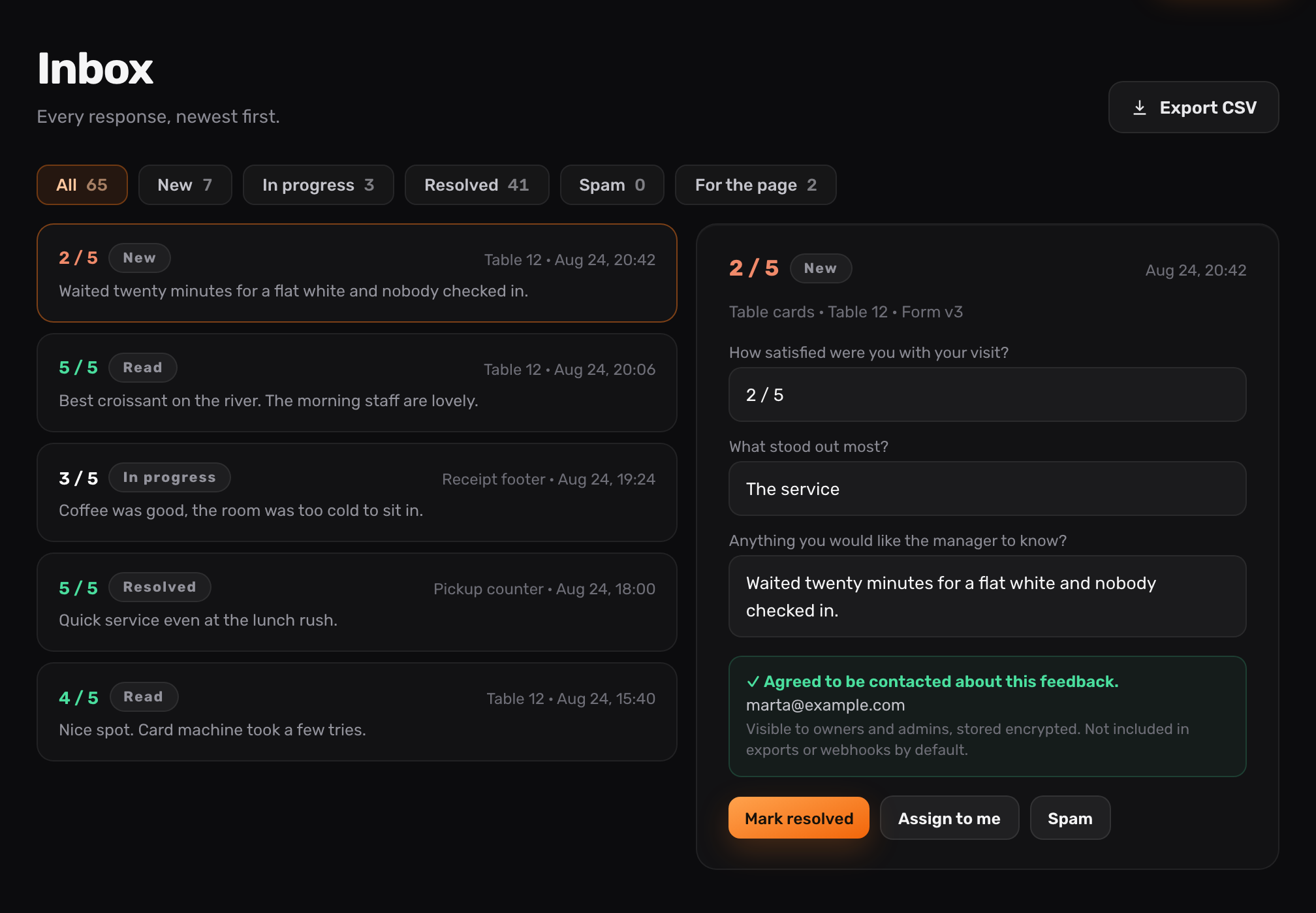
New responses arrive in a shared inbox with their answers, placement and form version. Mark a response as read, in progress, resolved, closed or spam, and assign ownership so feedback does not disappear into a spreadsheet.
Low-score alerts, daily digests and signed webhooks help the right team react. CSV export remains available for analysis outside Mosaqo.
- Shared response inbox
- Low-score alerts and daily digest
- CSV export and webhooks
06
Send public-review traffic to the platform you choose
Use a Google, Trustpilot, Tripadvisor or Facebook review link, or enter a custom HTTPS destination. Mosaqo records the outbound click but does not claim that an external platform published a review it cannot verify.
If a destination changes, update the campaign rather than reprinting every QR placement.
07
Publish only after the real scan journey is ready
Before a campaign goes live, confirm the mode, form, destination, QR design, contrast and placement. Complete a real phone scan so the printed experience is tested rather than assumed.
The hosted page is mobile-first and can follow the campaign language, a fixed locale or a visitor choice. Branding, introductory copy and thank-you copy stay consistent across placements.
FAQ
Frequently asked questions
What customer feedback can I collect with a QR code?
Mosaqo supports CSAT, NPS, three- and five-face smileys, thumbs, 1–10 scales, single and multiple choice, short and long text, plus optional contact details and follow-up consent.
Should I create the campaign or the QR code first?
Create the campaign first because it defines the mode, form, review destination, language and policy. Then add one or more placements; each placement receives its own QR code and analytics.
Can one campaign have several QR codes?
Yes. Add a separate placement for each receipt, table, counter, window, package, email or event. The placements can share one journey while keeping their own QR codes and funnel metrics.
Does Mosaqo know when a Google review is published?
No. Mosaqo measures the click to the external review destination. Google and other platforms do not provide the campaign with proof that the same visitor published a review.
Does combined mode send only happy customers to public reviews?
No. The public-review action is available regardless of the private score. Mosaqo does not support review gating or score-based filtering of review requests.
NEXT STEP